

Old dog, new tricks!
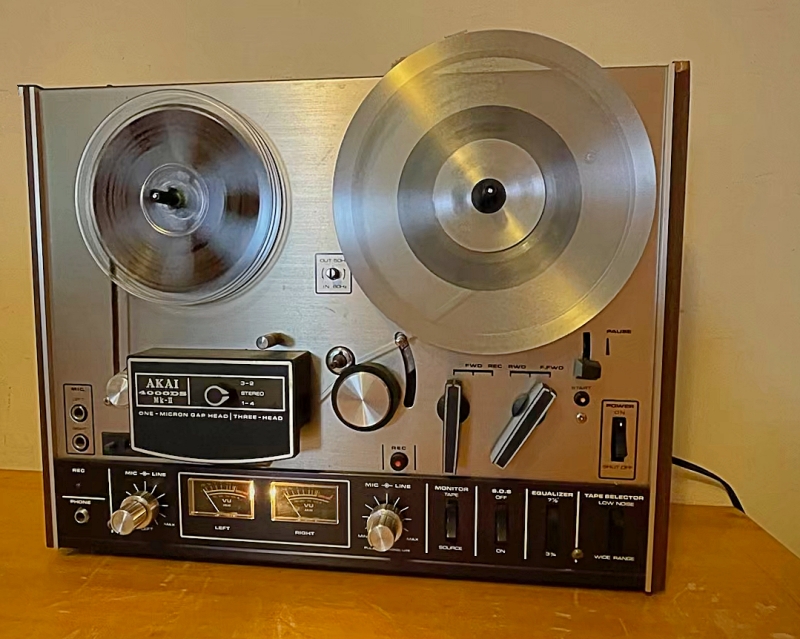
I was given an old reel to reel tape to digitise, to be played out at an upcoming event at my church. Not a problem as I had an Akai 4000DS Mk2 reel to reel recorder.....or so I thought!
Spooling through the tape at 3¾ ips (inches per second) I found many segments of music, when I found speech that I was looking for, it had been recorded at half that speed, 1⅞ ips which the Akai couldn’t play so it sounded like the chipmunks!
Spooling through the tape at 3¾ ips (inches per second) I found many segments of music, when I found speech that I was looking for, it had been recorded at half that speed, 1⅞ ips which the Akai couldn’t play so it sounded like the chipmunks!
I obtained the original tape recorder that had been used for the tape and tried that, sadly the belts for the speed I needed had perished making it useless.
The answer, I thought was to digitise it at ‘chipmunk’ speed then slow it down in my video editing package, Davinci Resolve. I captured around 30 seconds and tried slowing it down by 50%, it still sounded like the chipmunks!
I put a shout out on Facebook and explained the problem, to see if anyone locally had a tape recorder with the slower speed I could borrow.
One reply I had was from a guy whose brother had failed to sell a R2R recorder at an auction house, he said I could have it for free if I collected it and made a donation to Dementia UK, I did collect it and made an online donation - The problem? - It was an Akai 4000DS Mk2!
I had many replies including the slow down method. One guy who used the same video software as I did, offered to try and solve the problem so I sent him a sample.
About 3 hours later he sent the sample back - It sounded great! He then sent me a screenshot of the settings he used in Resolve - What I hadn’t taken into account was to change the pitch along with the speed. (Thanks Bob Ingle!)
Using his settings I captured the sections I thought I needed and tried them in Resolve, none of them matched the section I was looking for! So it’s back to the person who supplied the tape to see if she has any others to try, at least thanks to someone who worked out the problem I should be able to help her - if she finds the tape!
(PS. Anyone want an Akai R2R recorder, I now have 2!)
