

"How do I?"
How do I....? this is a question that often comes up working with any type of digital or audio media. It might be a format conversion from one format to another, it could be an extraction of media to enable it to be edited or it could be 1001 other options you need an answer to.
Way back in the early digital media days, one small program (or App) that seemed to answer many of the questions in the video world was MpegStreamClip (free). I’ve lost count of the times I’ve been called on the phone with a video question “Dave, how do I....?”, my answer was usually “have you got MpegStreamclip installed?”
Sadly, time marches on and Mpegstreamclip wasn’t updated after 1.9.3.b8 beta for OS X in 2012. Several other programs tried to fill the void, Handbrake (free) became a ‘go to’ choice for compression, I also used Miro (was free) for some conversion / compression tasks.
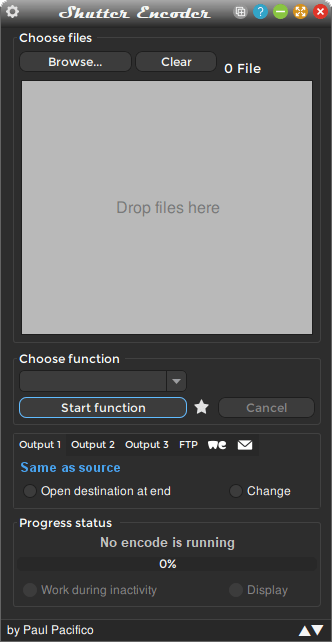
Today, despite video editing packages being able to handle most tasks, there are still small App’s that do make tasks easier, one of these is a newcomer to the scene ‘Shutter Encoder' (free of charge).
You can think of Shutter Encoder as a ‘Swiss Army knife’ of digital media tools. I could list all the things it can do and it’d be a very long list! Just recently, I’ve used it to compress a ProRes video for YouTube (Shutter Encoder comes with downloadable presets), to strip the audio from an MP4 video file for editing in Audacity and a quick top & tail edit on a web video on one of my Mac’s without Resolve or Final Cut Pro installed, there are even functions to upload to an FTP or WeTransfer.
I’m sure most of the features I’ll never use, but it’s handy to know I have this tool in my toolbox for the odd occasion when the question arises “how do I?”
Go and check out the website - www.shutterencoder.com/en/ , it is a free download but they do ask for a suggested donation of $10, if you only ever have to use it once to solve a problem, the $10 is well worth the outlay.
Sadly, time marches on and Mpegstreamclip wasn’t updated after 1.9.3.b8 beta for OS X in 2012. Several other programs tried to fill the void, Handbrake (free) became a ‘go to’ choice for compression, I also used Miro (was free) for some conversion / compression tasks.
Today, despite video editing packages being able to handle most tasks, there are still small App’s that do make tasks easier, one of these is a newcomer to the scene ‘Shutter Encoder' (free of charge).
You can think of Shutter Encoder as a ‘Swiss Army knife’ of digital media tools. I could list all the things it can do and it’d be a very long list! Just recently, I’ve used it to compress a ProRes video for YouTube (Shutter Encoder comes with downloadable presets), to strip the audio from an MP4 video file for editing in Audacity and a quick top & tail edit on a web video on one of my Mac’s without Resolve or Final Cut Pro installed, there are even functions to upload to an FTP or WeTransfer.
I’m sure most of the features I’ll never use, but it’s handy to know I have this tool in my toolbox for the odd occasion when the question arises “how do I?”
Go and check out the website - www.shutterencoder.com/en/ , it is a free download but they do ask for a suggested donation of $10, if you only ever have to use it once to solve a problem, the $10 is well worth the outlay.
