Calibrite Video Checker

Recently, I posted about using ‘Shot Match’ in Davinci Resolve 18 and how it managed to match the colour on a 2 camera shoot, a cameraman friend of mine read the post and mentioned he’d just bought the Calibrite ColorChecker Passport Video card (£159.59) and he suggested I look at obtaining one.
I had seen them before but being retired, cost is an issue for me. I did consider it would help with my 2 camera shoots for a member of my Church when I’m shooting his ‘Mini Sermon” video series for YouTube.
By chance, I thought it was worth a look on eBay, there was a Calibrate ColorChecker Video card on there new, unused for £130 or ‘make an offer’. This is the A4 version of the product, not the ‘Passport’ size version, I offered £100 and a few minutes later the seller accepted the offer, I paid and waited for delivery.
A few days later it arrived, it certainly looked unused. I managed to fix it to a light stand and took it outside, I used one side to white balance and the colour chip side to set exposure and shot a minute or so in 4K.
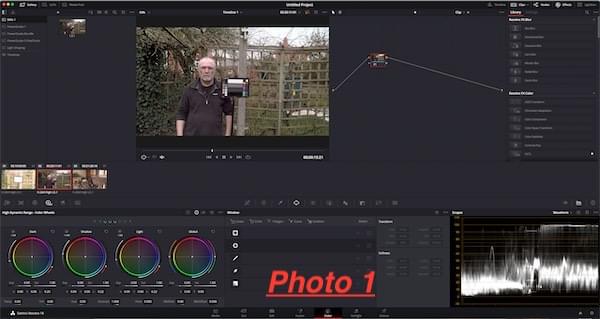

Back inside, I fired up Resolve on the iMac and imported the video clip, white balance and exposure looked good so I moved across to the Color page (photo 1). Resolve has long been regarded as the colour grading go to program with many Final Cut Pro users exporting an xml to Resolve for grading.
This is not meant to be a full tutorial on using Resolve with a Colour card, there are plenty of those on Youtube (and I’ve watched most of them), it’s also very difficult to show actual results here as non-calibrated monitors cannot show the colour corrected results accurately.
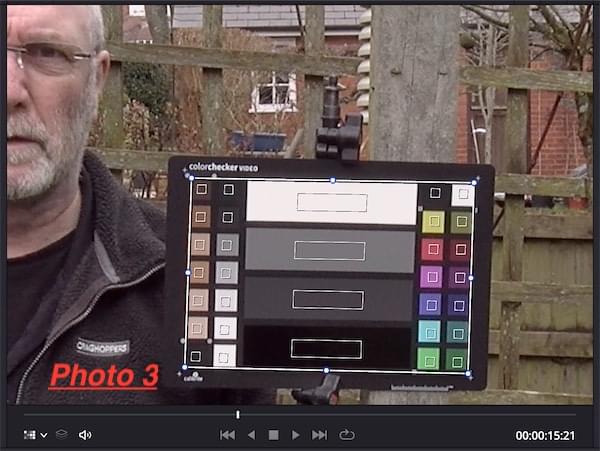
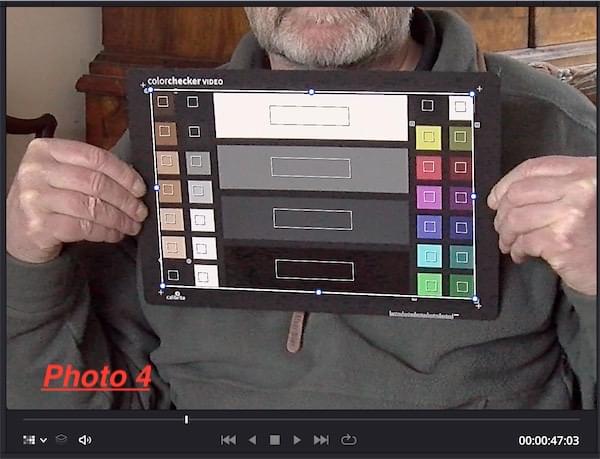
In the Colour page, Resolve has a dedicated feature for colour cards including the Calibrite Video card (photo 2), overlaying the template over the video clip (photo 3&4) allows exposure and colour adjustment either automatically or manually using the scopes.
The following day I tried using the card with 2 cameras, I was able to easily match up the 2 angles to give a result I was happy with, these videos for Peter Wells are going to Youtube so full broadcast quality would be a bit over the top, we have a shoot planned in the near future so I look forward to using the card on an actual video shoot.
This is not meant to be a full tutorial on using Resolve with a Colour card, there are plenty of those on Youtube (and I’ve watched most of them), it’s also very difficult to show actual results here as non-calibrated monitors cannot show the colour corrected results accurately.
In the Colour page, Resolve has a dedicated feature for colour cards including the Calibrite Video card (photo 2), overlaying the template over the video clip (photo 3&4) allows exposure and colour adjustment either automatically or manually using the scopes.
The following day I tried using the card with 2 cameras, I was able to easily match up the 2 angles to give a result I was happy with, these videos for Peter Wells are going to Youtube so full broadcast quality would be a bit over the top, we have a shoot planned in the near future so I look forward to using the card on an actual video shoot.