Shot Match - Magic!

Having only recently acquired both my 4K JVC cameras, I’m still getting used to shooting with them. On a recent series of videos for one of the members of my church for his YouTube channel, I’ve tended to stay safe and use ‘auto’ and this has given me very acceptable results as there is minimal editing involved.
On the latest shoot, I wanted to go full manual, I set the JVC HM200 up on the autocue and the JVC HM170 as a second angle, I used manual on both cameras for exposure (with zebras) and colour balance and both looked good on the screens and the shoot went well.
Back in my edit suite I downloaded the cards and checked the footage, the HM200 was under exposed and slightly cold compared to the HM170 stuff!
It was perfectly usable and I knew I could pull it back in Resolve so I edited the package together then, went into Colour in Resolve. there’s a one click feature called ‘shot match’ using it I was able to match the HM200 to the better looking HM170 footage, I’d used shot match in Final Cut Pro before but only had limited success with it, this Resolve version seems to have nailed it for me.
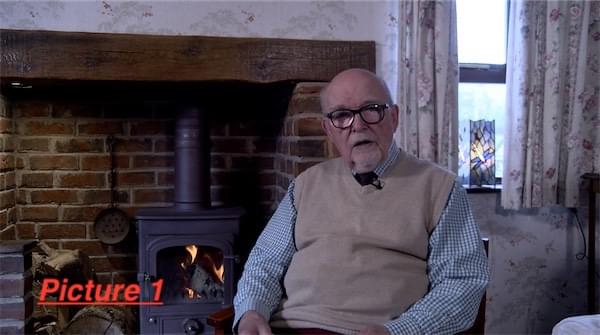
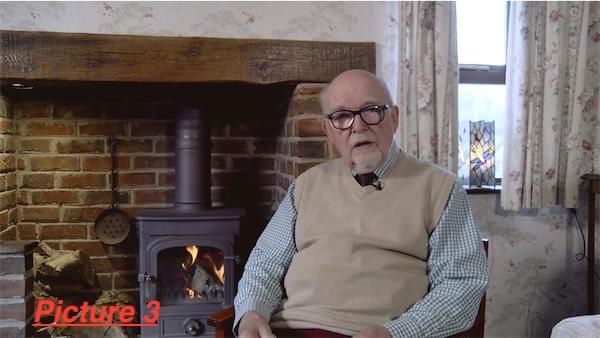
Picture 1 shows the uncorrected HM200 footage, picture 2 shows the HM170 footage and picture 3 shows the HM200 ‘shot matched’ to the HM170, now I just have find out why the 2 camera’s differed and adjust them!
The finished video is here: https://www.youtube.com/watch?v=zZXPUuvAiGo