

FreeShow....More
FreeShow – why I’ve switched (and stuck with it)
In an earlier post, you'll have seen I switched from WorshipTools Presenter (free version) to FreeShow. I thought I was pretty settled with our Sunday setup. It did the job, the congregation saw the words, and nothing burst into flames, which is always a bonus! Then I found FreeShow, and things changed rather more than I expected. FreeShow is a totally free, open‑source presentation app aimed squarely at churches, small events and anyone who needs to get words, images and video onto a screen without taking out a second mortgage for software. Think ProPresenter‑style flexibility, but with a zero price tag and a very active community behind it.
In an earlier post, you'll have seen I switched from WorshipTools Presenter (free version) to FreeShow. I thought I was pretty settled with our Sunday setup. It did the job, the congregation saw the words, and nothing burst into flames, which is always a bonus! Then I found FreeShow, and things changed rather more than I expected. FreeShow is a totally free, open‑source presentation app aimed squarely at churches, small events and anyone who needs to get words, images and video onto a screen without taking out a second mortgage for software. Think ProPresenter‑style flexibility, but with a zero price tag and a very active community behind it.
First impressions (and a small panic)
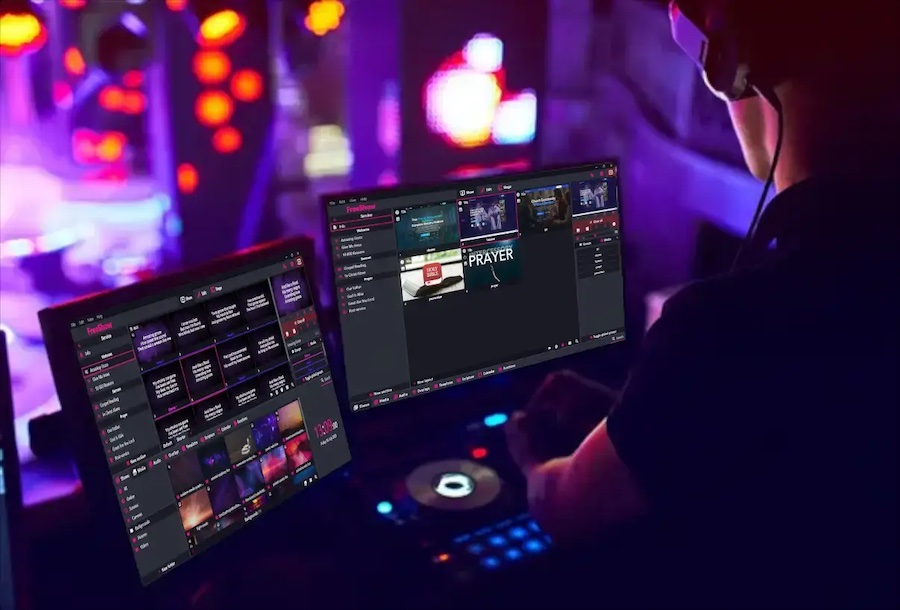
My first month with FreeShow was very much “try, but be ready”. I installed it, recreated a couple of typical services, and ran everything in parallel with our existing WorshipTools setup just in case something decided not to work as I expected. FreeShow works around “projects” and “shows”, within a project you build shows – songs, notices, videos, sermon slides, then put them together into a running order. Slides are made from “items”, which can be simple text (lyrics, Bible readings using built in bibles), media (images and video), web pages, or imported from PowerPoint or Keynote.
There was a slightly hairy moment early on when my screen went black and the audio cut out for a couple of seconds on a new M4 Mac laptop setup, but it turned out to be a cheap HDMI lead rather than FreeShow itself. A better Thunderbolt to HDMI cable and it’s been rock solid since. We use a projector and back of Chapel screen running through an HDMI splitter, I’ve found I need to have the system switched on before I connect the Mac HDMI lead.
Building a service in FreeShow
A typical Sunday running order in FreeShow looks like this:
- Open the project for our chapel.
- Duplicate last week’s service template.
- Swap out the songs and readings.
- Drop in any new slides, notices and video clips.
Live operation
In use, the live view in FreeShow keeps things simple: current slide, next slide, and clear controls for jumping around a song or skipping to a different part of the service if needed. I’d estimate I’m only using about a quarter of what the program can actually do. The key point is that what I do use works reliably every week, which is exactly what you want when you’re juggling slides, livestream, and the occasional “we’ve changed the last hymn” moment. There are also many YouTube tutorials which helped me with the learning curve, they are well worth watching if you’re moving from another package.
So, is it worth switching?
In a word, yes. If you’re currently on WorshipTools (free or paid), PowerPoint, or another basic solution, FreeShow gives you a lot more flexibility without adding complexity. If you’ve looked at, or are using ProPresenter but worried about the cost, FreeShow is a very capable alternative that won’t strain your church budget. I’m now six weeks in using FreeShow every Sunday and have stopped taking a backup machine with the old software. That’s probably the best recommendation I can give it. If you’re running tech for a church or small organisation and want to modernise your visuals without signing up for yet another subscription, FreeShow is well worth a look.
